Aadhaar card is one of the most important identity documents in India. It is commonly required for banking services, government schemes, mobile SIM verification, education, examinations, and various official purposes. If your physical Aadhaar card is lost, damaged, or unavailable, you do not need to visit an Aadhaar enrolment centre. The Unique Identification Authority of India (UIDAI) provides a secure and convenient online facility to download Aadhaar from anywhere. The downloaded version, known as e-Aadhaar, is legally valid and accepted across the country.

Downloading Aadhaar online is completely free and takes only a few minutes if your mobile number is registered with Aadhaar. The process is simple, user-friendly, and does not require any technical expertise.
Requirements for Downloading Aadhaar Online
Before starting the Aadhaar download process, ensure that you have the necessary information ready. You will need either your 12-digit Aadhaar number, Enrollment ID (EID), or Virtual ID (VID). A working internet connection and access to the mobile number registered with Aadhaar are mandatory, as UIDAI sends a one-time password for verification. The process can be completed using a smartphone, laptop, tablet, or desktop computer.
Step-by-Step Process to Download Aadhaar Card Online
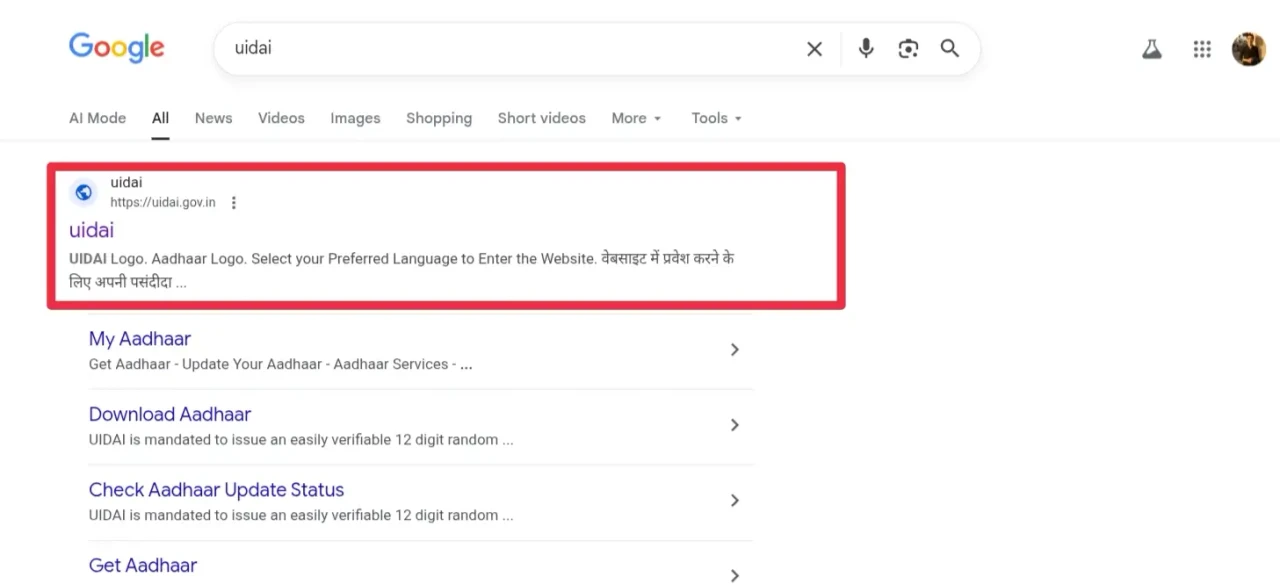
Step 1: Open any web browser on your mobile phone, laptop, or computer and visit the official UIDAI website at uidai.gov.in.
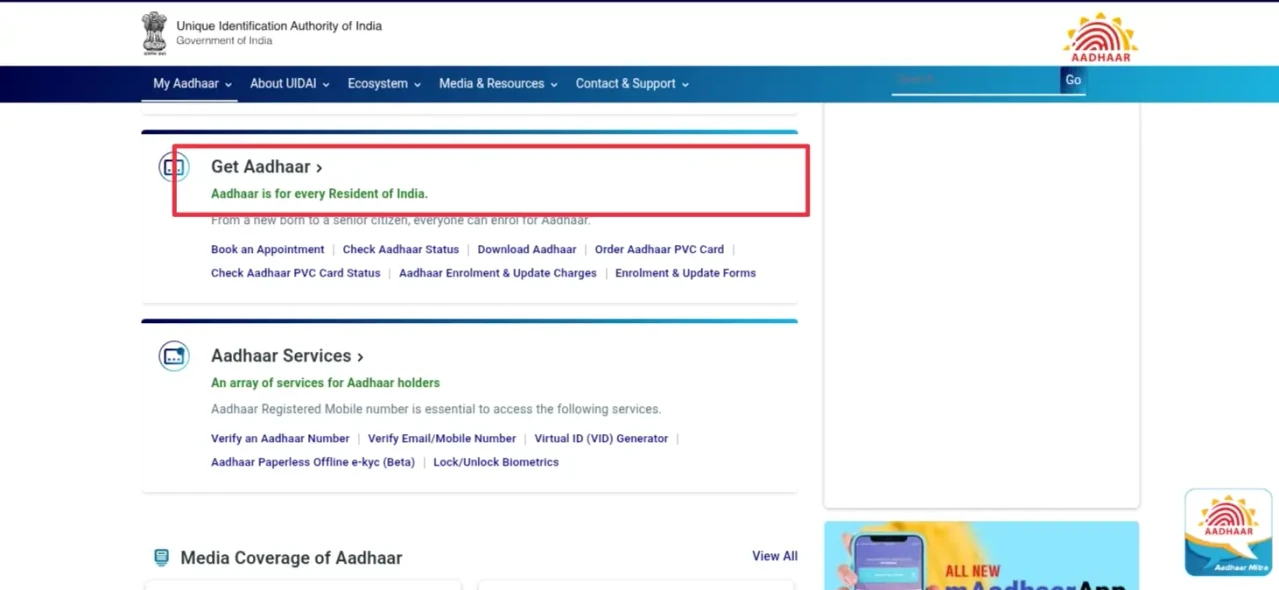
Step 2: Once the UIDAI homepage loads, navigate to the “My Aadhaar” option available in the main menu and click on it.
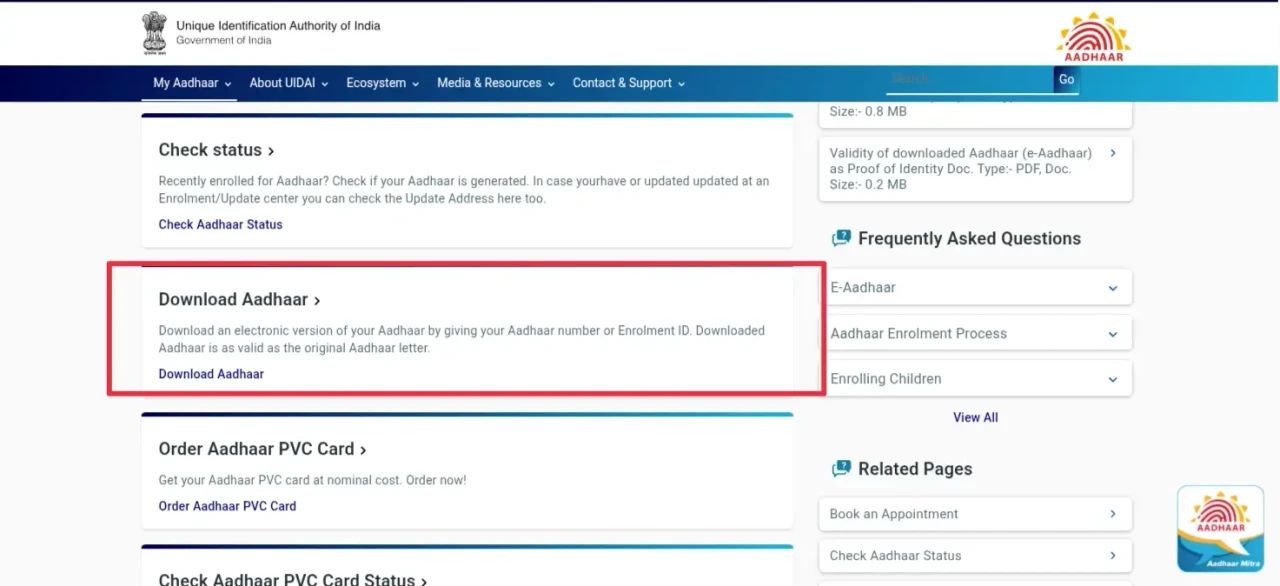
Step 3: On the new page, locate the “Download Aadhaar” section and click on it to proceed.
Step 4: A new webpage will appear where you need to enter your Aadhaar number, Enrollment ID (EID), or Virtual ID (VID). After that, enter the captcha code displayed on the screen.
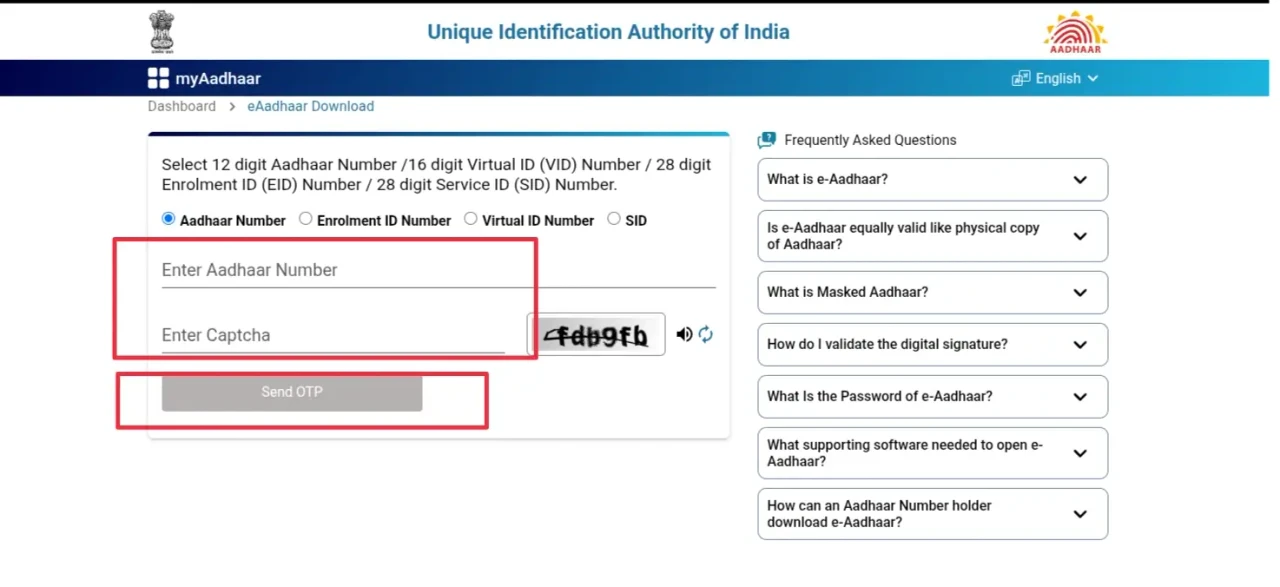
Step 5: After entering all the required details and captcha correctly, click on the “Send OTP” button.
Step 6: A six-digit OTP will be sent to your Aadhaar registered mobile number. Enter the OTP in the provided box.
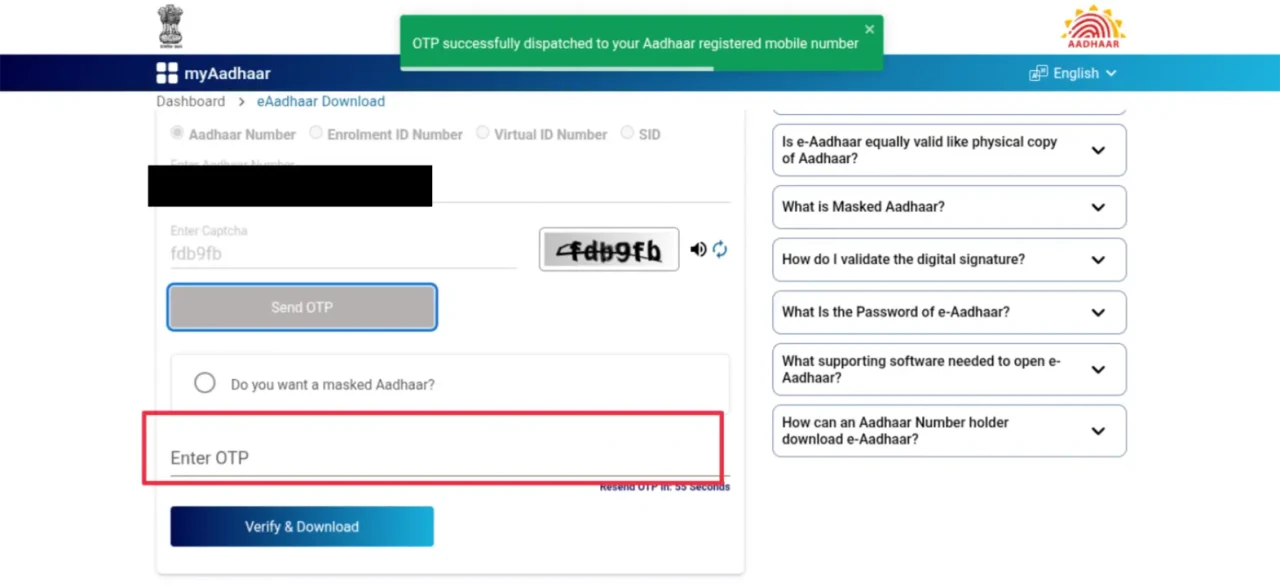
Step 7: After entering the OTP, click on the “Verify and Download” option.
Step 8: Within a few seconds, your Aadhaar card will be downloaded in PDF format directly to your device through the browser.
Aadhaar PDF Password Details
The downloaded Aadhaar PDF file is protected by a password to ensure the safety of personal information. To open the file, you need to enter the correct password format. The password is created using the first four letters of your name written in capital letters, followed by your year of birth. There should be no spaces between the name and the year.
For example, if the Aadhaar holder’s name is Anuradha Jashwal and the date of birth is 5 December 1991, the password to open the Aadhaar PDF will be ANUR1991.
Validity of Downloaded e-Aadhaar
The e-Aadhaar downloaded from the UIDAI website is digitally signed and has the same legal validity as the physical Aadhaar card. It is accepted for KYC verification, banking services, government schemes, educational purposes, and other official uses. According to UIDAI guidelines, all institutions must accept e-Aadhaar as a valid identity document.
Don’t Know Your Aadhaar Registered Mobile Number?
If you are unable to receive the OTP because you do not remember or no longer have access to your Aadhaar registered mobile number, there is no need to immediately visit an Aadhaar enrolment centre. UIDAI provides an online facility that helps users identify or update their Aadhaar registered mobile number through its official portal.
To understand the complete process in detail, you can refer to this guide: How to Know Your Aadhaar Registered Mobile Number: Step-by-Step Guide . This guide explains how to find your Aadhaar registered mobile number online using the UIDAI website, which is especially useful if you have changed your number or forgotten the registered one.
Benefits of Downloading Aadhaar Card Online
Downloading Aadhaar online saves time and effort, as there is no requirement to stand in long queues at enrolment centres. The service is available 24 hours a day and can be accessed from anywhere. The downloaded Aadhaar is secure, digitally verified, and reliable for all official purposes.
Important Tips for Safe Aadhaar Download
Always use the official UIDAI website for Aadhaar-related services and avoid third-party websites. Never share your Aadhaar number, OTP, or downloaded Aadhaar PDF with unknown individuals. Store the Aadhaar PDF securely on your device and ensure you are using a trusted internet connection during the download process.
Conclusion
Downloading Aadhaar card online through UIDAI is a simple, fast, and secure process. With basic Aadhaar details and OTP verification, any Aadhaar holder can download their Aadhaar card in digital format within minutes. The e-Aadhaar carries full legal validity and offers a convenient alternative to the physical card. In case of issues related to the registered mobile number, UIDAI’s online services make the overall process smooth and user-friendly.


-EXAM-E-BOOK-(1500-x-720-px).webp)